


I approached PBS: TV Shows & Documentaries as the kind of entertainment app you open when you want something more purposeful than endlessly scrolling through a crowded streaming catalog. It is a free app from PBS, focused on television programs, news, documentaries, and live viewing rather than trying to cover every possible genre. After spending time with it, I think its biggest appeal is not sheer volume; it is the feeling that the app has a clear editorial identity.
That focus makes the decision fairly simple for some viewers and less obvious for others. If you regularly watch documentaries, public-affairs programming, educational series, or PBS shows, this is an easy app to justify. If your main goal is blockbuster entertainment, a huge movie library, or a single platform for every channel you follow, you may find it narrower than the usual general-purpose streaming services. My recommendation depends less on whether you already pay for another service and more on what you want your viewing time to do for you.
What I considered before recommending it
The strongest reason to install it is its editorial focus
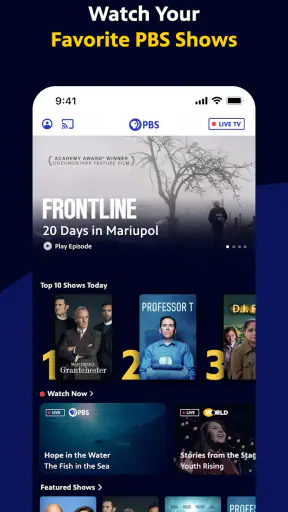
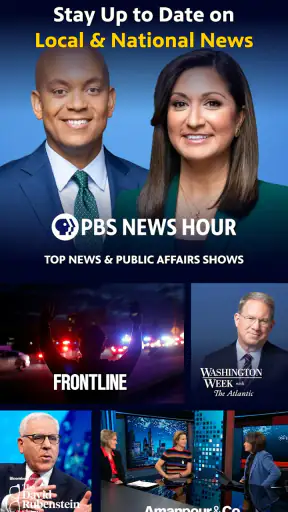
The first thing I noticed is that PBS does not feel like a generic video shelf with a public-media label attached. The app is built around recognizable PBS-style programming: news, documentaries, factual series, cultural subjects, and television shows that reward attention rather than background noise. That gives the catalog a useful sense of direction. I can open it with a particular mood in mind—learning something, catching up on current affairs, or finding a thoughtful program—and start browsing without wading through unrelated categories.
That focus also helps when I am choosing something for more than one person. In a household, the question is often not simply “what is entertaining?” but “what can we watch without spending half an hour deciding?” PBS is a good fit for that situation because its identity makes the browsing decision easier. It is especially comfortable for viewers who want programming they can discuss afterward, use as a starting point for research, or share with family members who prefer substance over spectacle.
Live viewing and on-demand viewing serve different habits
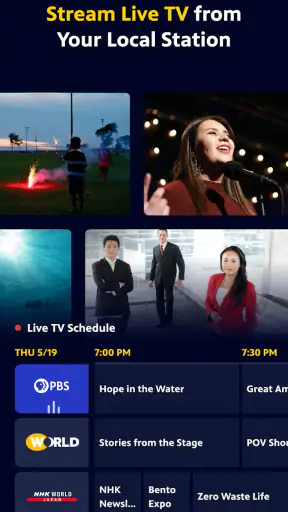
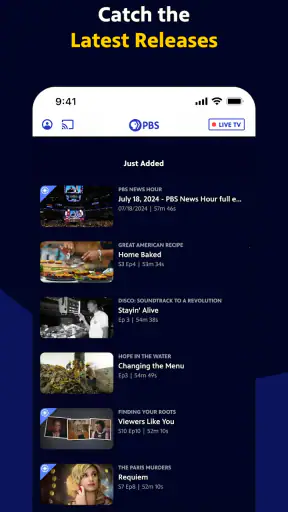
The app’s live television option matters because it changes how I use it. On-demand streaming is convenient when I already know what I want, while live viewing recreates the usefulness of turning on a channel and seeing what is currently available. Those are different experiences, and PBS benefits from offering both within the same entertainment app.
I find live viewing most useful when I want a low-effort evening choice. Rather than comparing several programs, I can enter the live section and let the current schedule guide me. On-demand viewing is better when I am looking for a particular documentary or want to continue a series at my own pace. The practical tip here is to treat the two areas as separate tools: use live television for discovery and routine, and use the library for intentional watching.
Passport changes the value calculation
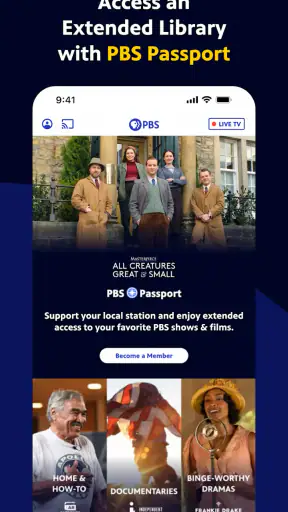
PBS also connects the viewing experience with PBS Passport, which gives eligible supporters access to full seasons. The important point is that the app itself is free, but the broader access offered through Passport is a different part of the PBS ecosystem. I would not install the app assuming that every program or every complete season will necessarily be available under the same conditions.
That distinction is worth understanding before making the app your only way to watch a favorite series. For casual viewers, the free experience may be enough to sample programs, watch available episodes, and follow live content. For regular PBS viewers, Passport can make the service considerably more useful because full-season access is often more valuable than isolated episodes. I recommend checking how your preferred programs are presented inside the app before changing your existing viewing routine.
Navigation works best when you arrive with a purpose
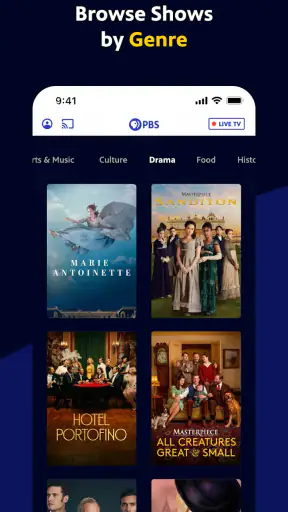
My browsing experience was more satisfying when I used the app’s subject and program organization instead of treating it like an enormous entertainment warehouse. PBS is at its best when I know the kind of content I want: a documentary, a news program, a cultural series, or a specific show. The clearer my intention, the faster I could get to something worthwhile.
That also reveals a limitation. Viewers who enjoy random discovery based on trending titles, celebrity releases, or algorithmic recommendations may find the experience less exciting than a large commercial streaming platform. PBS has a strong identity, but that identity naturally narrows the range of browsing. I see that as a trade-off rather than a flaw: less noise, but also fewer surprises outside the public-media style of programming.
Device and account expectations should be realistic
The application supports Android devices running version 6.0 or later, which makes it accessible to many older phones and tablets. In practical terms, I would still judge the experience by the age and condition of the device, not just the operating-system requirement. Video quality, responsiveness, and the comfort of browsing depend on the screen, network, and general performance of the hardware you use.
Because this is a streaming app, a stable connection matters more than the installation itself. I would use a reliable home network for long programs and keep mobile viewing for situations where the connection is dependable. If you are planning to watch during travel or in places with inconsistent service, it is sensible to test your normal routine before relying on the app for every viewing session. The app is free to install, but streaming still depends on the quality of the environment around it.
Where PBS stands out against common alternatives
It wins when quality of selection matters more than quantity
Compared with broad entertainment services, PBS feels more curated. I do not open it expecting the widest possible range of action films, reality series, or international releases. I open it because I want programming with a recognizable public-service character. That makes the app a strong companion to a general streaming subscription rather than a direct replacement for every kind of entertainment.
The difference becomes especially clear on a quiet weekend afternoon. A general service may present a large wall of thumbnails, while PBS gives me a more focused path toward documentaries, news, and series with educational or cultural value. If I want to learn about a subject, hear a careful discussion, or watch a program that feels suitable for shared viewing, PBS often gets me there with less browsing fatigue.
It is a better fit than social video for deliberate viewing
Short-form video platforms are excellent for quick breaks, but they encourage constant switching. PBS suits a different habit: choosing a program and giving it enough attention to develop an idea. I appreciate that difference when I am tired of fragmented viewing and want one complete story instead of a chain of clips.
There is a real trade-off, though. Social platforms are more immediate and often better at matching a very specific niche interest through rapid recommendations. PBS asks me to meet it halfway by browsing its programming with some intention. For a viewer who wants instant novelty every few seconds, it will probably feel too structured. For someone trying to reduce distracted watching, that structure can be an advantage.
It complements broadcast television without requiring the same routine
Traditional television is convenient when I already know a channel’s schedule and do not mind watching at a fixed time. The PBS app gives that live experience a more flexible home while also adding on-demand access. I can still watch what is currently being shown, but I am not limited to sitting in front of a television at the exact moment a program begins.
That flexibility is useful for households where the main television is busy or where people watch on different schedules. I can use a phone or tablet for a short session, then return to a longer program later on a larger screen when that option is available in my setup. The app is therefore most valuable when it extends access to PBS programming rather than when I expect it to replace every traditional viewing method.
It may lose to a paid all-in-one service for convenience
A large paid platform may be the better choice if your priority is a single subscription with an extensive mixture of movies, original dramas, children’s entertainment, and popular series. PBS does not try to compete on that broad promise. Its strength is trust in the type of programming, not an attempt to become the only app on your device.
I would also choose a different service if I needed a very specific commercial release or wanted a deep catalog of one particular genre. PBS is not the practical answer to every streaming question, and pretending otherwise would make the recommendation less useful. The sensible comparison is not “which app has everything?” but “which app best matches the kind of viewing I actually do?”
Small habits make the free experience more useful
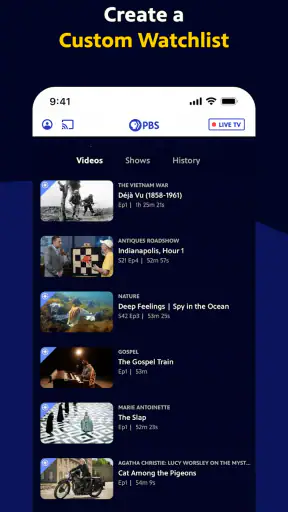
One of my most useful adjustments was to separate sampling from commitment. I use the free app to explore programs and understand what is currently available, then decide whether a specific series is worth following more closely. This prevents me from assuming that a single interesting episode automatically means the whole season is available in the same way.
I also recommend browsing before you need something urgently. If you wait until the last minute to find a program for a family evening or a school-related topic, you may spend more time comparing titles than watching. Saving a mental shortlist of subjects—history, science, current affairs, arts, or regional interest—makes the app much faster to use. This is a simple workflow, but it suits PBS better than aimless thumbnail scrolling.
Who should think twice before switching?
I would hesitate to recommend PBS as a primary streaming replacement to someone whose routine depends on constant new releases, extensive fictional series, or a large children’s catalog. The app’s narrower identity is precisely what makes it appealing, but it also means it cannot satisfy every household on its own.
I would also be cautious if you dislike live programming and only want a predictable, complete on-demand library. The live section is useful, but your satisfaction will depend on whether the available on-demand selection and Passport access line up with your expectations. In that case, a service designed around a fully controlled catalog may feel more straightforward.
The practical cost of changing your viewing routine
There is little financial risk, but there is an attention cost
Since the app is free, trying it does not require the same commitment as starting another paid streaming subscription. That makes experimentation easy. The more meaningful cost is time: learning where programs live, understanding the difference between generally available content and Passport access, and deciding whether live viewing fits your schedule.
I think that cost is low for occasional viewers and more noticeable for people trying to reorganize an entire household’s entertainment setup. If several family members already rely on another service, PBS works best as an additional source with a clear purpose. It can fill a gap—documentaries, public affairs, cultural programming—without forcing everyone to abandon the services they already understand.
The app’s audience is broad, but the content choice is specific
The Teen content rating signals that the app is not positioned solely as a preschool or children’s product. In my view, that matches its range of news, documentaries, and general television programming. Parents should still choose programs individually rather than assuming every title suits every younger viewer, especially when current events or serious subjects are involved.
For adults, older teenagers, students, educators, and curious viewers, the app can become a dependable source of purposeful screen time. Students may use it to gain context around a topic, while adults may appreciate having a calmer alternative to entertainment feeds. The best use is not passive background playback all day; it is selecting programs that match a question, interest, or shared conversation.
What the adoption numbers tell me—and what they do not
The app has reached more than five million installs, and its average rating is 4.7 from roughly twenty-seven thousand ratings. Those figures suggest that PBS has built a substantial audience and that many users find the experience worthwhile. I see them as encouraging signs, but not as a substitute for matching the app to your own viewing habits.
The current release is version 5.25.0, which tells me the app is an actively maintained product rather than an abandoned companion to a television brand. Still, updates do not remove the basic trade-offs: streaming depends on your connection, catalog access can vary by program, and the focused selection will not satisfy someone looking for every type of entertainment in one place.
My everyday scenario for using it
Imagine arriving home with an hour before dinner and wanting something more engaging than random clips. I would open PBS, check the live option first for an immediate choice, and then move to the on-demand area if I had a subject in mind. If a program looked promising, I would note whether it was available as part of the regular experience or connected to PBS Passport before planning a longer viewing session.
For a weekend morning, I might use it differently: choose a documentary or news program, watch without rushing, and then continue with another related subject instead of jumping across unrelated services. That sequence is where the app feels most natural. It turns the act of choosing television into a small, manageable plan rather than a search through an unlimited catalog.
My recommendation
I recommend installing PBS: TV Shows & Documentaries if you want free access to a focused mix of PBS programming, live television, news, and documentaries. It is particularly worthwhile for viewers who value thoughtful subject matter, families looking for shared viewing, and anyone who wants a companion to a broader streaming service instead of another general catalog.
I would not present it as the best single entertainment app for everyone. If you want constant commercial releases, a huge fiction library, or a completely predictable full-season catalog without thinking about Passport access, another category of service may suit you better. PBS earns its place through purpose and editorial character, not through trying to imitate those platforms.
My final advice is to install it with one clear expectation: use it as a destination for meaningful television, not as an endless replacement for every other form of streaming. The free entry point makes that experiment easy, and the app’s live and on-demand combination gives it more flexibility than a simple program guide. For me, that balance makes PBS a genuinely useful entertainment app—especially on the days when I want to watch something that leaves me with more than a few minutes of distraction.


